
Everyday money,
finally in focus.
From the bills that repeat to the one-off surprises, Wendoo helps you see the whole picture before it happens.
Open WendooYour future balance, right on the calendar.
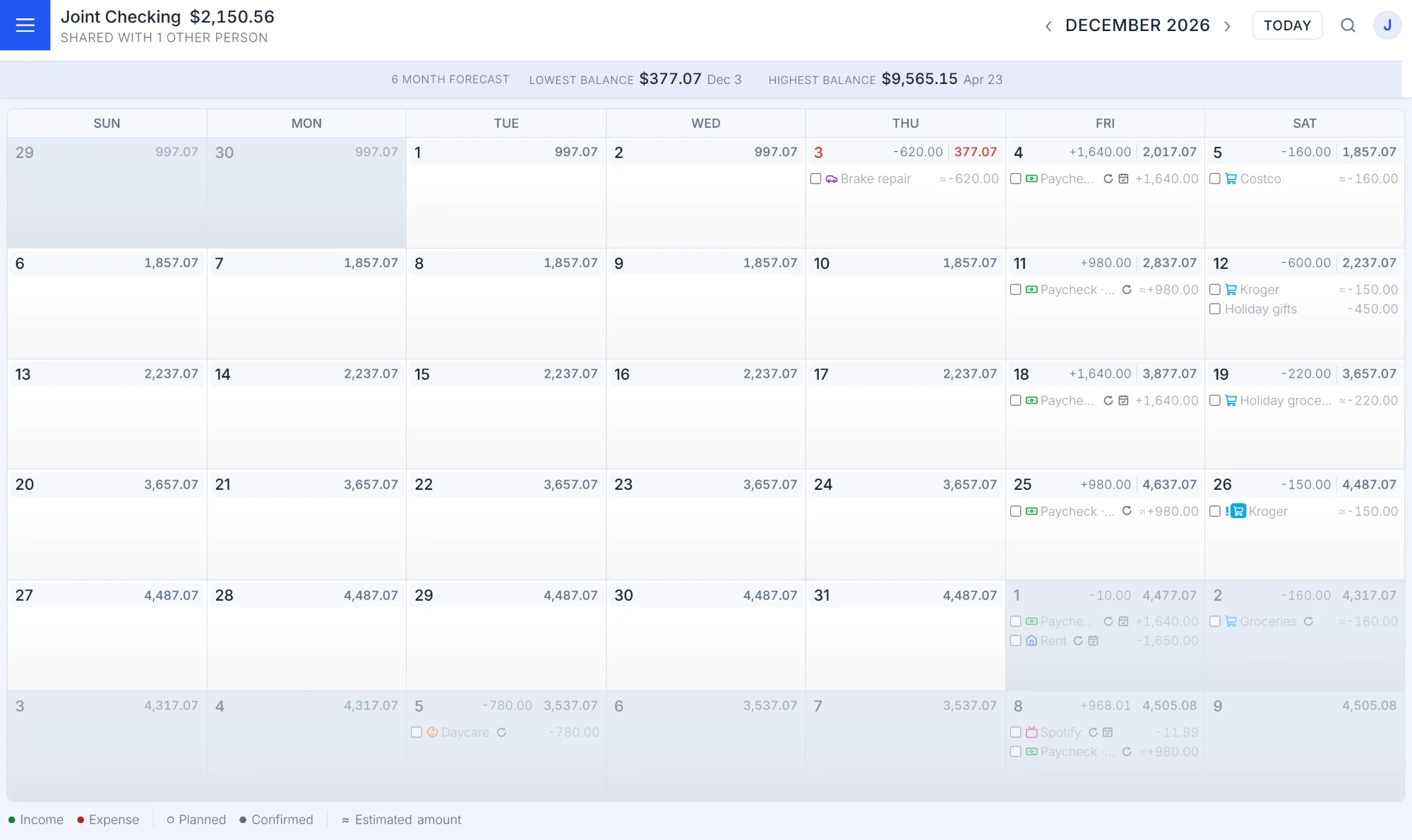
Today's balance is just a snapshot. Wendoo uses your planned income, bills, and expenses to project each day's closing balance. See your lowest and highest points over the next six months.
- Projected balances by date
- Six-month low/high summary
- Custom warning thresholds
Set up the repeating stuff once.
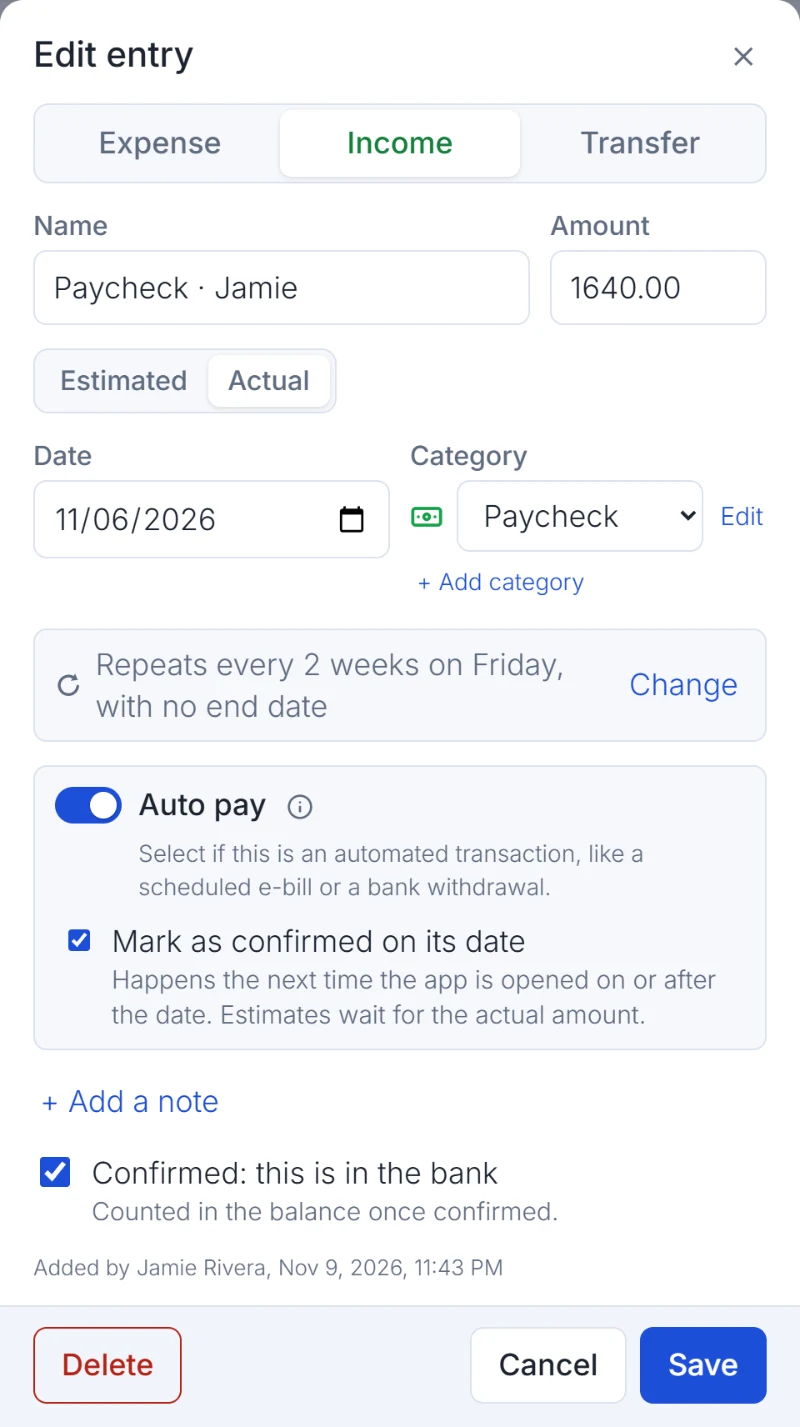
Paychecks, rent, subscriptions, estimated utilities—it all goes on the calendar. Choose flexible repeat rules and adjust just one occurrence or every future one.
- Repeat by day, week, month, or year
- Estimates for variable bills
- Auto-pay and confirmation tracking
One household. No guessing games.
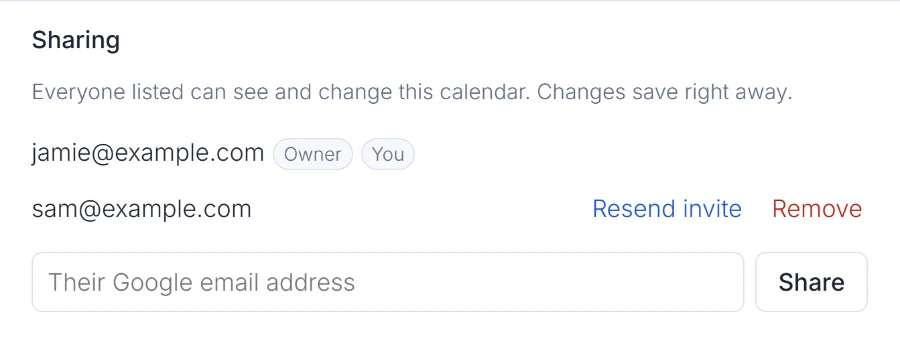
Share selected calendars with someone you trust. Changes appear in real time; other calendars can stay entirely yours. It's as useful for one person as it is for a household.
- Invite people by email
- Shared editing and confirmation
- Private calendars stay private
Let forwarded emails do some of the work.
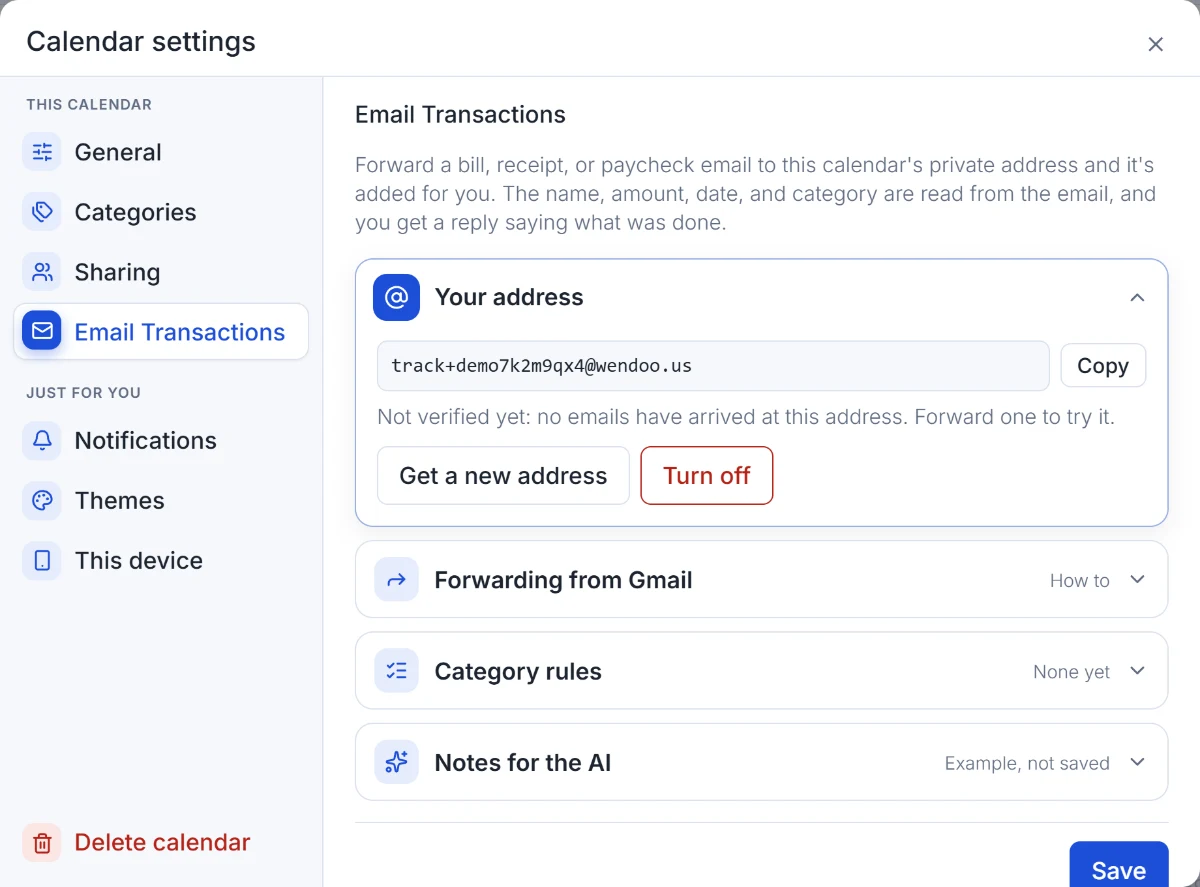
Wendoo can interpret a forwarded bill, receipt, or transaction alert, then add an entry to the right calendar. It can also update a matching planned bill, detect likely duplicates, and follow category rules.
- Private forwarding address per calendar
- AI-assisted details and categorization
- Confirmation replies with entry links
When you want the details, they're right there.
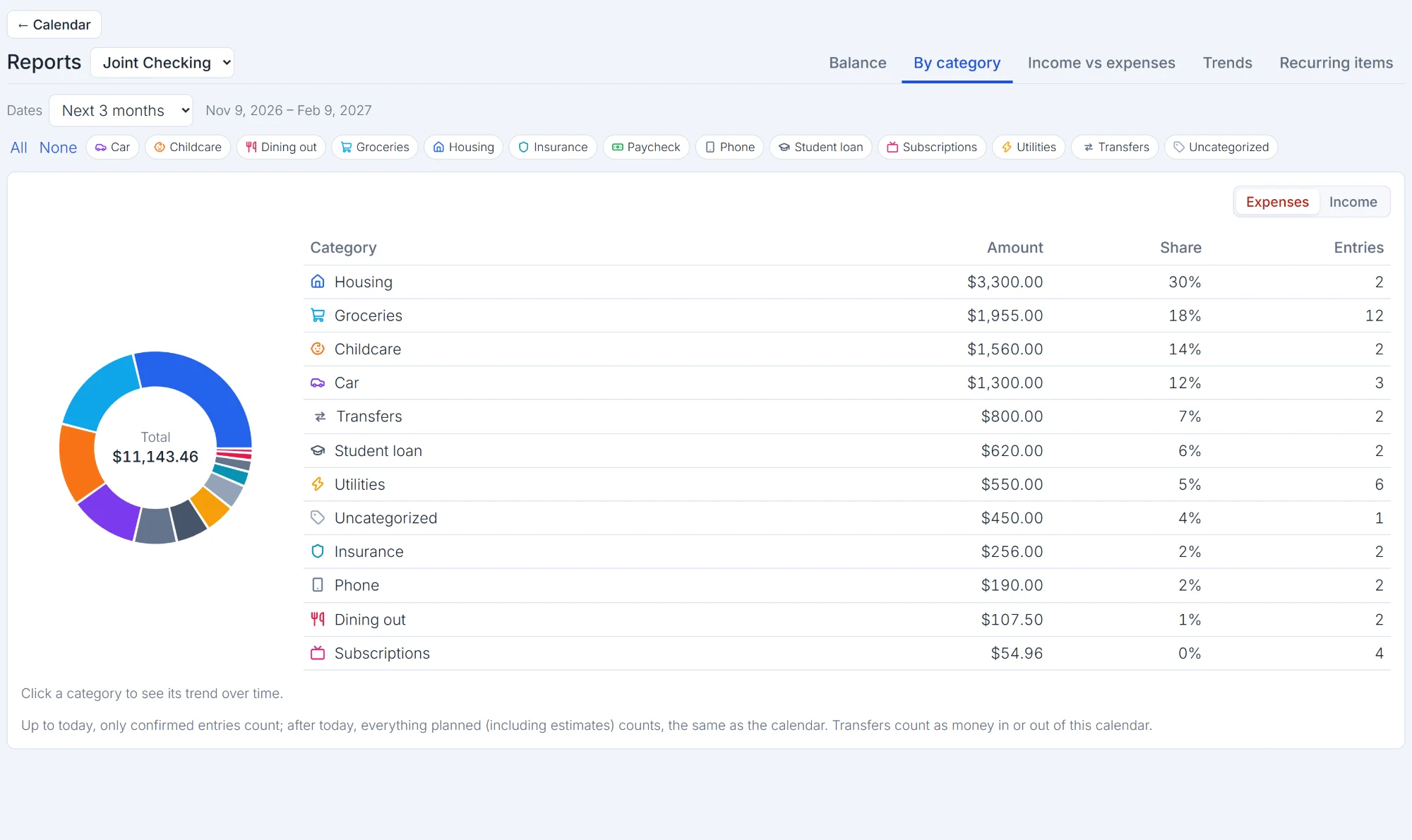
Explore reports across time and categories. Set monthly category budgets, monitor where your spending goes, and get reminders and alerts that help you stay ahead.
- Balances and income vs. expenses reports
- Category trends and budgets
- Push and email notifications
Little things that make a big difference.
Credit card views
See what you owe, purchases, and payments in a way that makes sense.
Transfers that stay in sync
Move money between calendars without double entry.
Find it fast
Search entries by name, date, category, notes, or amount.
Make it yours
Choose color themes and a mobile calendar style you like.
Ready for a clearer picture?
Spend a little less time wondering what comes next.